
When building a table in TrialBuilder, an error may occur if:
- The variables have been created.
- The export is not rebuilt but only refreshed.
In this situation, the Text format may incorrectly be applied to date fields. This makes the whole table unreadable in R, throwing the following error:
CRF error: some date-type columns are stored as text
Steps to Correct the Issue
Change the table attribute from
Automaticto Custom.
-
Identify the date-type variables that are currently in:
-
char / 50. / date9.
Open VS to locate the two variables with incorrect formats.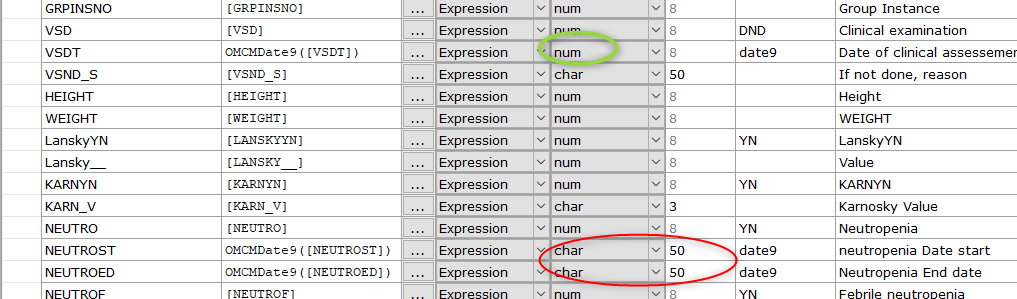
-
-
Change these variables to the format:
-
num / 8. / date9.
-